Web client and live demo
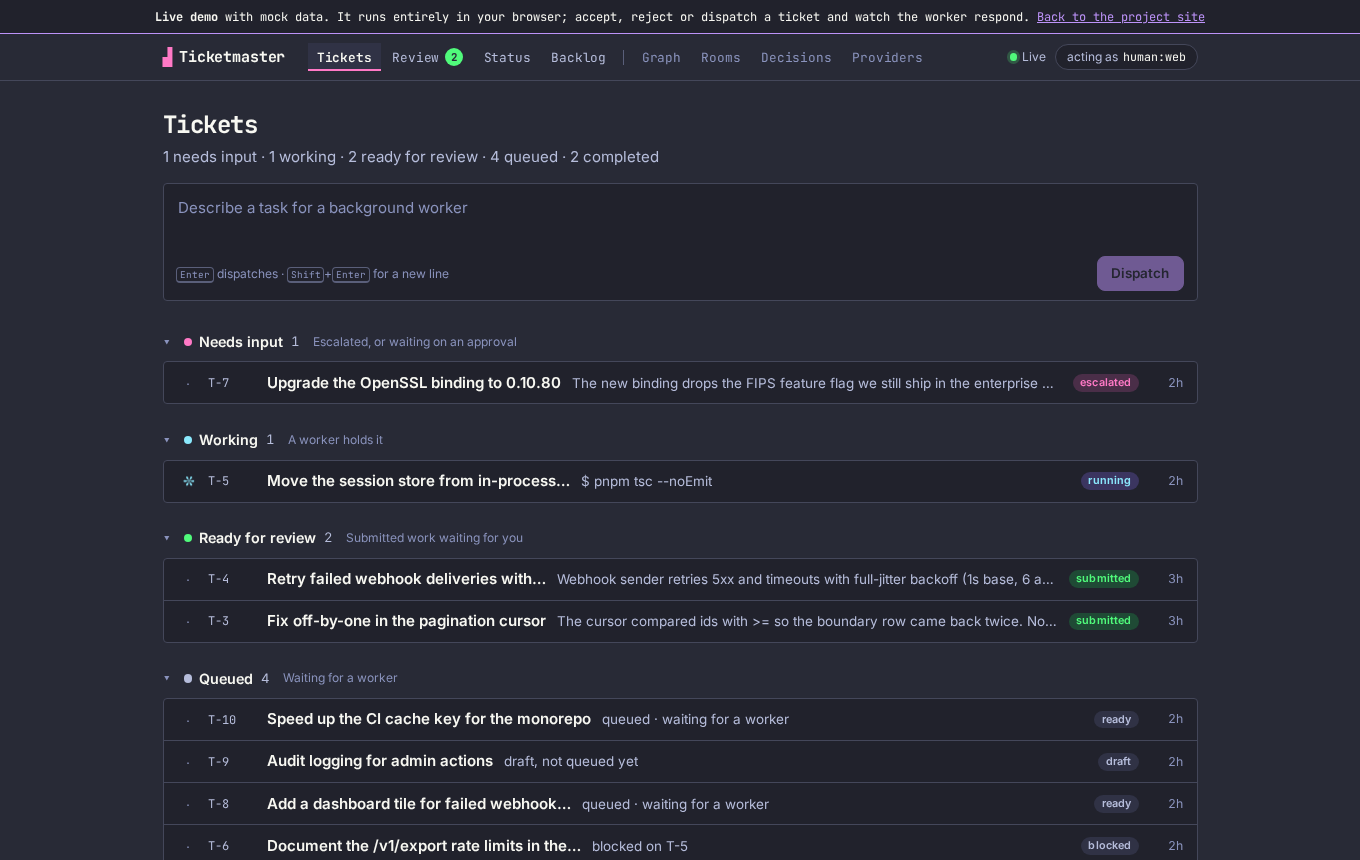
tm serve exposes the project’s HTTP API and a web client at /app/. It shows the same tickets
the TUI does: groups for Needs input, Working, Ready for review, Queued and
Completed, a dispatch box that turns a sentence into a queued ticket, a Review page with
summaries and evidence, a Status page built from the live event stream, and a Backlog filtered by
milestone, kind and executor role.
Run it on your project🔗
tm init
tm serve --open
An installed tm finds the built client next to the binary (share/tm/web). In a source checkout,
build it first with pnpm -C clients/web install && pnpm -C clients/web build. Accept, reject and
retry are recorded under human:<handle>; click the “acting as” chip to change the handle.
The hosted demo🔗
The live demo is the same client with its network layer swapped for an in-browser
mock of tm serve. It serves the real routes (/state, /tickets, /events as a server-sent
event stream) from a seeded in-memory event log, so every view, the store and the live updates run
unmodified. A scripted worker heartbeats a lease, narrates what it is doing, and walks any ticket
you dispatch from ready to submitted.
Things to try:
- Open Review and accept the pagination fix. It closes, and the Tickets list updates.
- Reject the webhook ticket with a reason and watch it go back to the queue.
- Dispatch a new task from the Tickets page and watch a worker pick it up.
- Retry the escalated OpenSSL ticket, with or without guidance.
Nothing leaves your browser, there is no backend, and a reload resets the project. The mock lives in
clients/web/src/demo/mockServer.ts; the demo build is VITE_TM_DEMO=1 pnpm -C clients/web build.