$ tm
chat now, ticket the rest.

tm is a coding agent for your terminal. Talk to it live. When a task can run without you, hand it to a background worker as a ticket. Workers submit evidence; you accept, reject or retry. Every step is an event in a log you can replay.

rust single binary · 21 provider backends
MIT OR Apache-2.0 · macOS and Linux, arm64 and x86_64
~/api — tm 0.1.4
$ tm ticket dispatch "Add per-key rate limiting to POST /v1/export"
Dispatched ticket T-2: ready for a worker (tm run T-2)

$ tm ticket list
ID   Kind  State  Priority  Due  Objective
T-1  work  ready  0         -    Fix off-by-one in the pagination cursor
T-2  work  ready  0         -    Add per-key rate limiting to POST /v1/export

$ tm ticket accept T-1
error: can't do that from this state: T-1 is ready, so it can't be
accepted. Run it: tm run T-1

$ tm doctor
check         status  detail
invariants    ok      no invariant violations
hash-chain    ok      0 events verified
index-health  warn    no commits yet
$ █

how it works

Most agents make you babysit one long chat. tm splits the work: a fast interactive agent for the thinking, and background workers for anything you can spec in a sentence.

  1. chatAsk, explore and edit in the TUI. @ completes file paths, ! runs shell, Shift+Tab cycles auto / plan / ask.
  2. dispatch/bg fix the pagination bug in the chat, or tm ticket dispatch "..." from the shell, turns a sentence into a queued ticket.
  3. workA worker leases the ticket, edits in isolation (optionally a git worktree), and runs the checks.
  4. submitIt submits a summary with evidence: test reports and diffs.
  5. decideYou accept, send it back with a reason, or retry with guidance. The server answers 403 to an agent that tries.

see it work

The terminal clips are the real tm binary against a live provider, recorded in docs/showcase. The right-hand frame is the real web client.
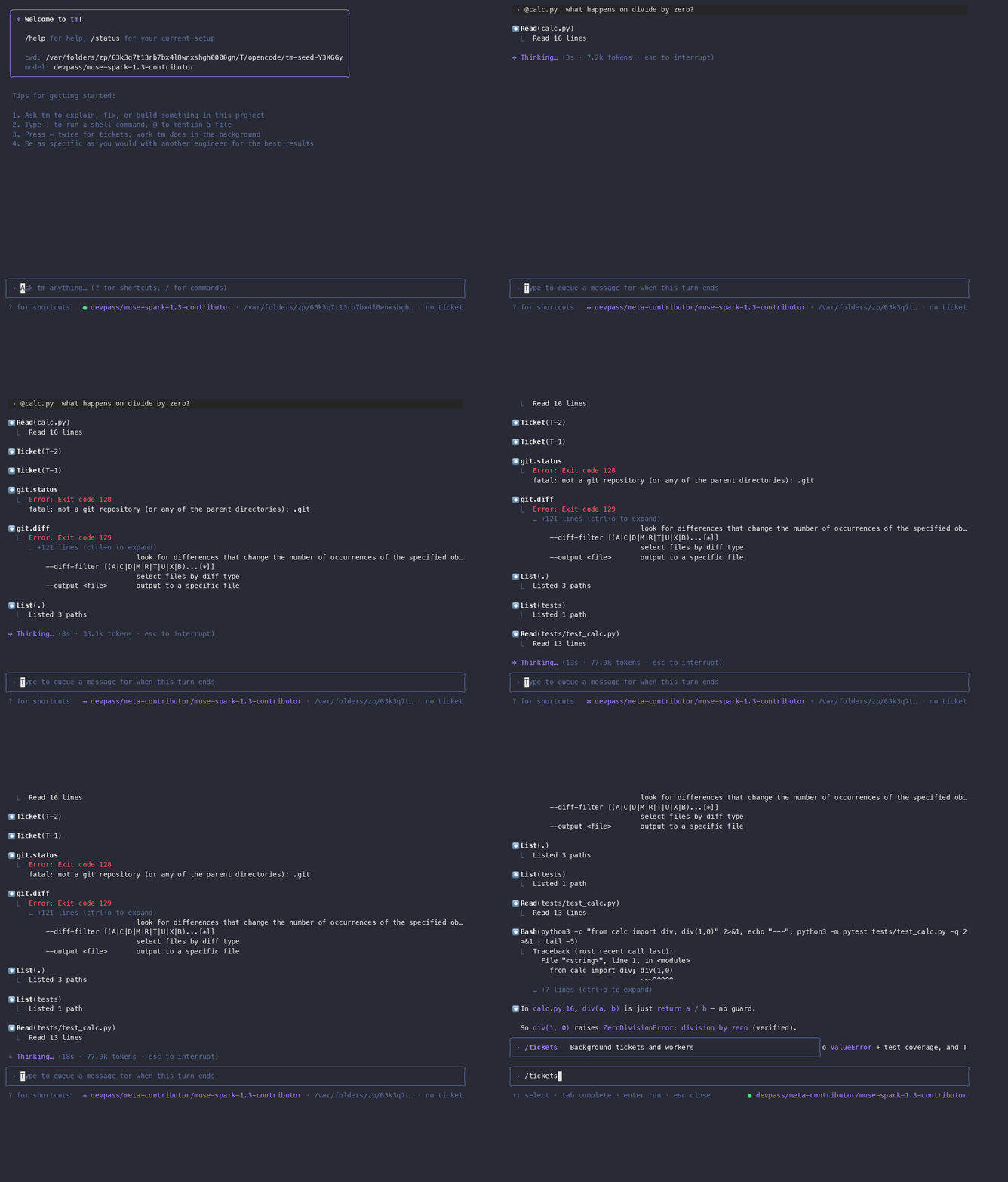
tm — live turn
Terminal recording: an @-mention, file reads, a live crash reproduction and a ticket-aware answer
A live turn: @calc.py completion, tool calls, a real crash repro.
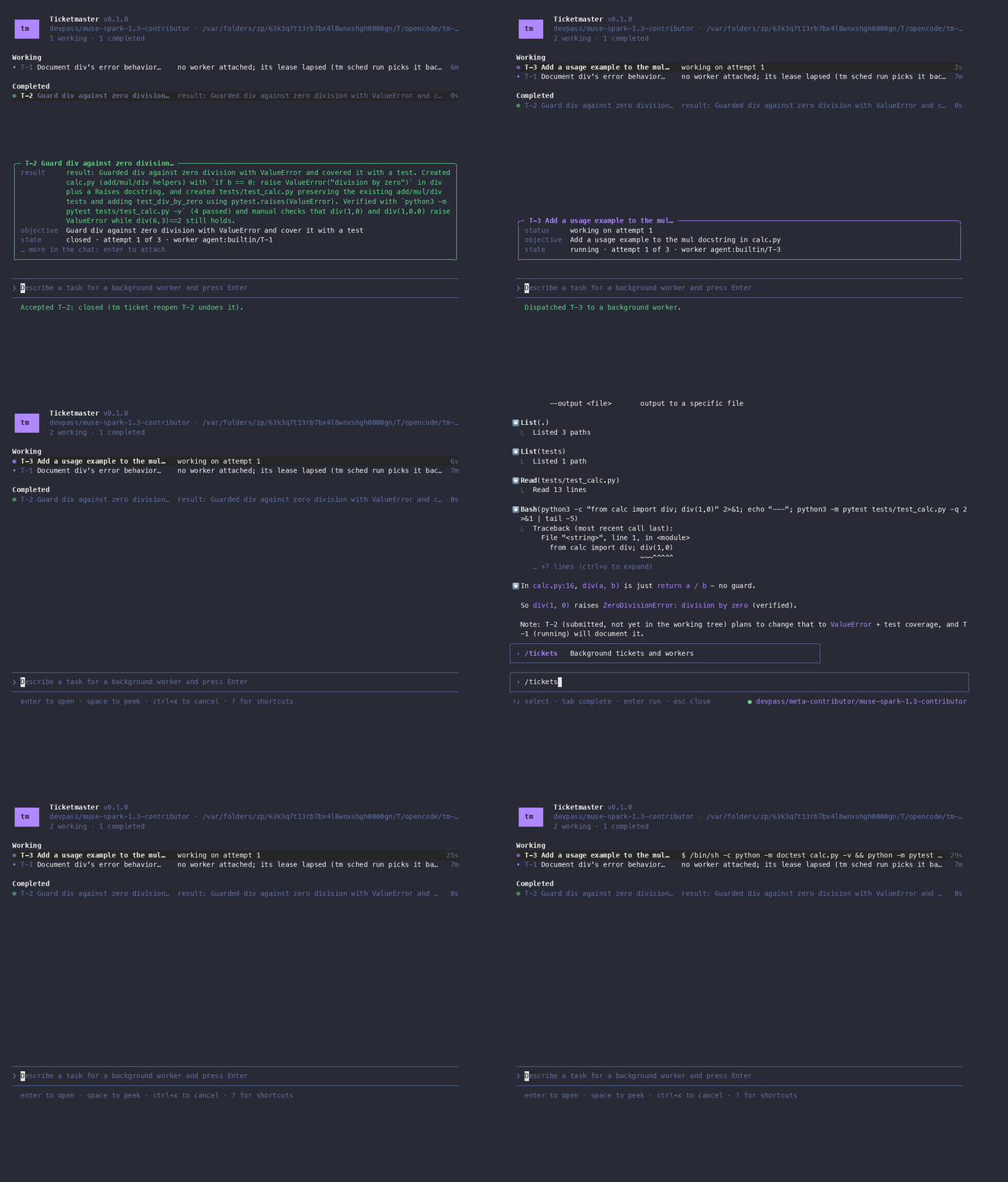
tm — dispatch
Terminal recording: dispatching a ticket and watching its worker run doctest and pytest in the row
Dispatch a ticket; the worker verifies it in its row.
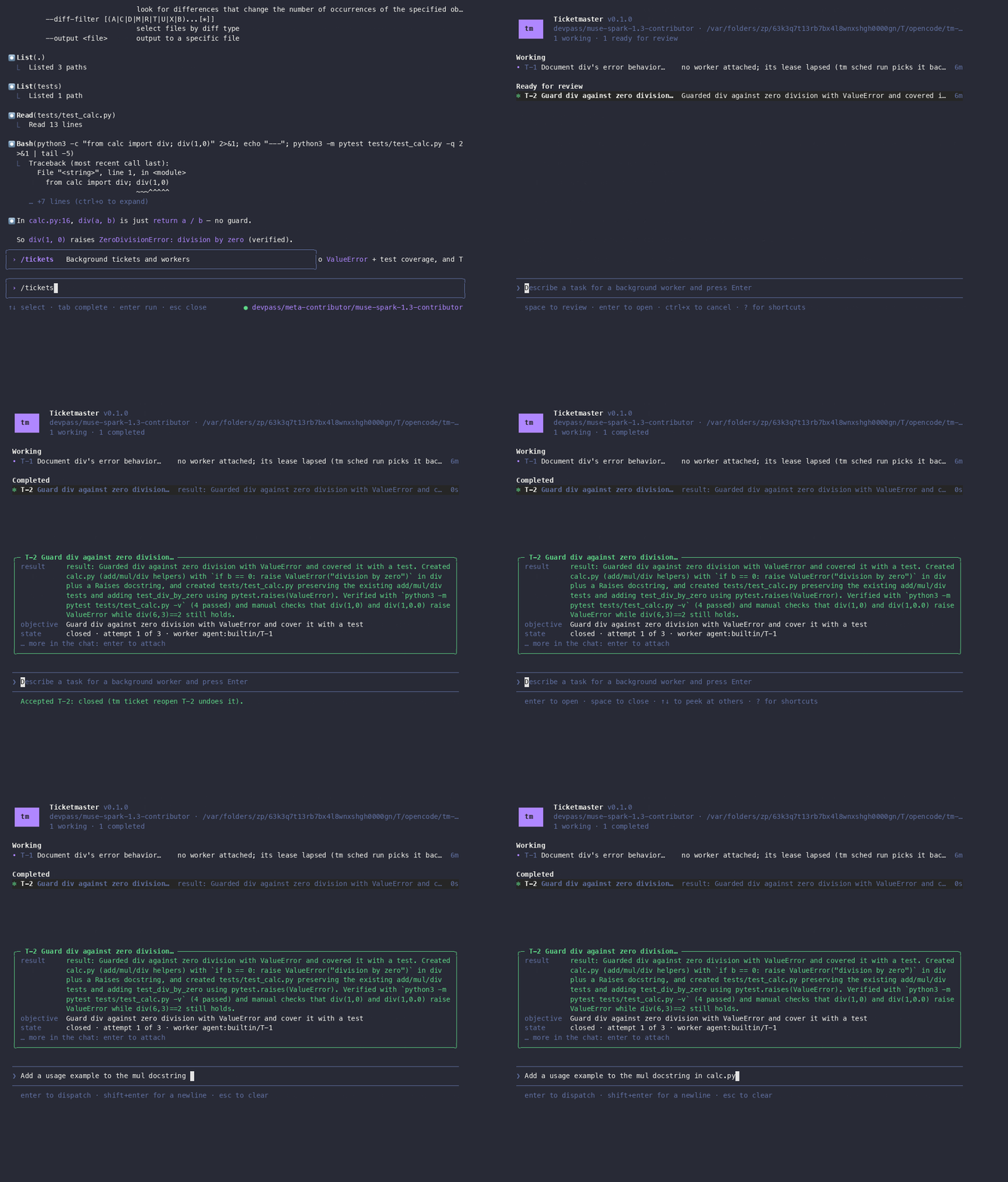
tm — review
Terminal recording: peeking at a submission on the tickets screen and accepting it
Peek at a submission, press 1, the ticket closes.
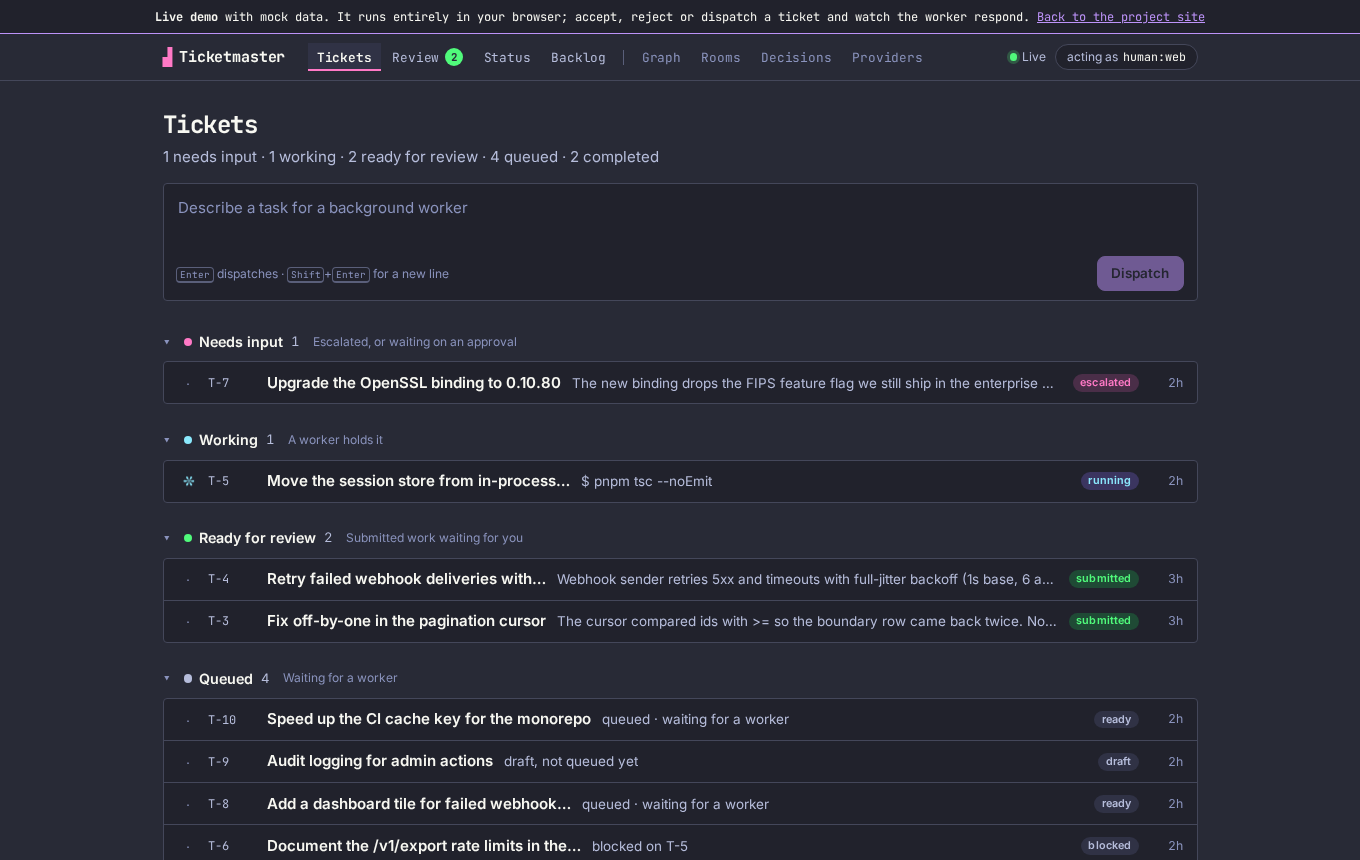
tm serve — web canvas
The Ticketmaster web canvas: tickets grouped into needs input, working, ready for review and queued, with a dispatch box on top
Tickets grouped by what needs you. Open it live; it runs in your browser on mock data.

what you get

Built on the idea that tools should be as intelligent as the agents using them. Read the thesis.

interactive-tui
Chat-first terminal UI with slash commands, history search, plan / ask / auto modes, and a tickets screen laid out like a task inbox.
background-workers
Workers run tickets under leases and budgets, with retries, escalation and a worktree option for isolated runs.
human-gated
Accept, reject and retry are human-only. Workers cannot approve their own work.
event-sourced
Every change is an event in a hash-chained log (tm doctor verifies it). Record a run to a cassette and replay it offline, or fork a ticket at any event.
resolved-context
Context is resolved up front, then symbol-aware and semantic search finds the rest, so the first turn already has what it needs.
any-provider
21 provider backends, an MCP server for Claude Code (tm mcp), an ACP agent for Zed (tm acp), a VS Code extension, and a typed TypeScript client.

install

One binary, prebuilt for macOS and Linux (arm64 and x86_64). You need one configured provider, for example ANTHROPIC_API_KEY. See the install guide and providers.

homebrew
$ brew install alliecatowo/tap/ticket-master
$ cd your-repo
$ tm init
$ tm
from source
$ cargo install --locked \
    --git https://github.com/alliecatowo/ticket-master.git tm-cli
$ tm init && tm