AssistarrChat with your media server
Ask for movies and shows, check queues and downloads, and manage Radarr, Sonarr, Jellyfin, Jellyseerr and qBittorrent in plain language.
Ask for movies and shows, check queues and downloads, and manage Radarr, Sonarr, Jellyfin, Jellyseerr and qBittorrent in plain language.
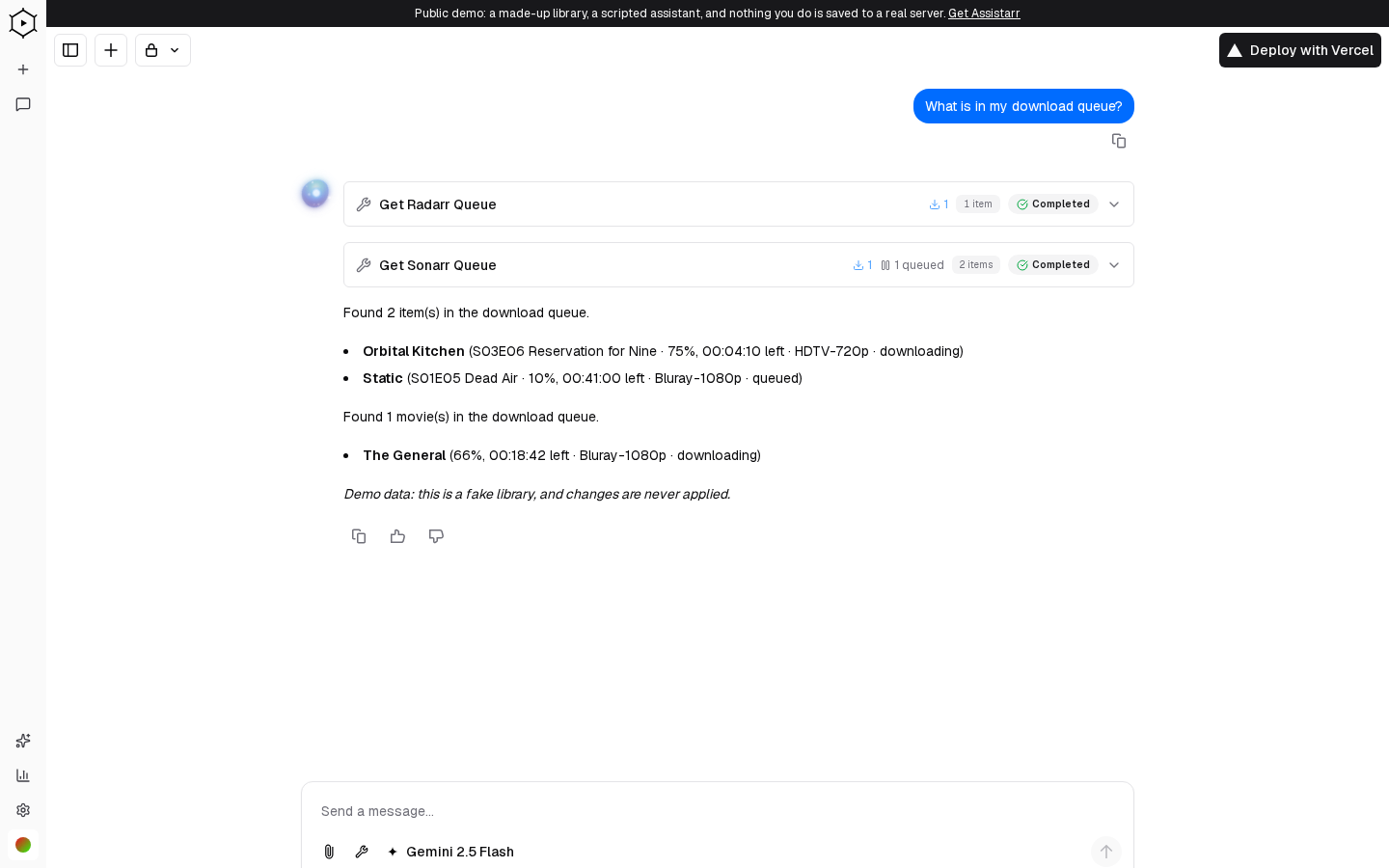
Try the live demo. It opens straight into the chat as a guest, against a made-up library and a scripted assistant, so no media server or account is needed. Ask what is downloading, what is coming up on the calendar, or to search for a title, and Assistarr calls the same Radarr and Sonarr tools it uses on a real server. The demo is read-only: nothing you do is saved, and settings are locked. To use it with your own services and a real model, install it yourself below.
Assistarr is self-hosted. There is no published npm package or container image, so you run it from a clone of the repository. You need Docker, plus an AI provider key (the Compose setup uses OpenRouter).
git clone https://github.com/alliecatowo/assistarr.git
cd assistarr
cp .env.example .env
# set POSTGRES_PASSWORD, AUTH_SECRET and OPENROUTER_API_KEY
docker compose up -d
Then open the app, add your services in settings, and start chatting. To run without Docker you need Node.js 24+, pnpm 9+ and PostgreSQL 16+; see Getting started and Self-hosting.
The full list of tools is in the AI tools reference.