K9s operational depth, as a native macOS app.
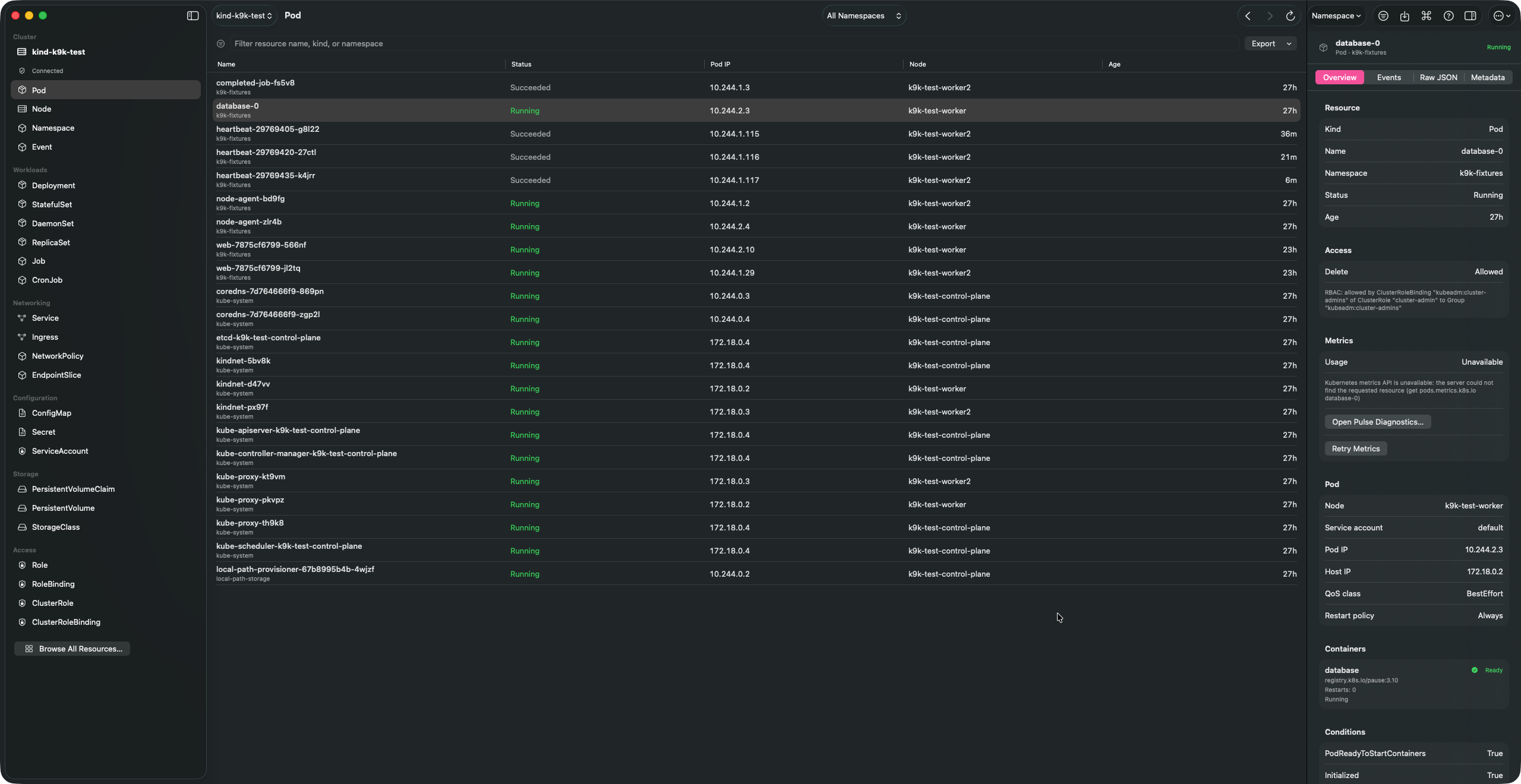
K9k is a SwiftUI Kubernetes manager for macOS Tahoe 26+. It talks directly to your kubeconfig context through a bundled Go client-go helper. No Electron shell, no webview, no embedded TUI, and kubectl is not required for normal cluster operations.
Pre-release. There is no packaged build yet; see Install.
What it does
Live resources
Browse built-in resources and CRDs through discovery, with list/watch updates. Filter, sort, export, and save named per-context query scopes.
Inspector
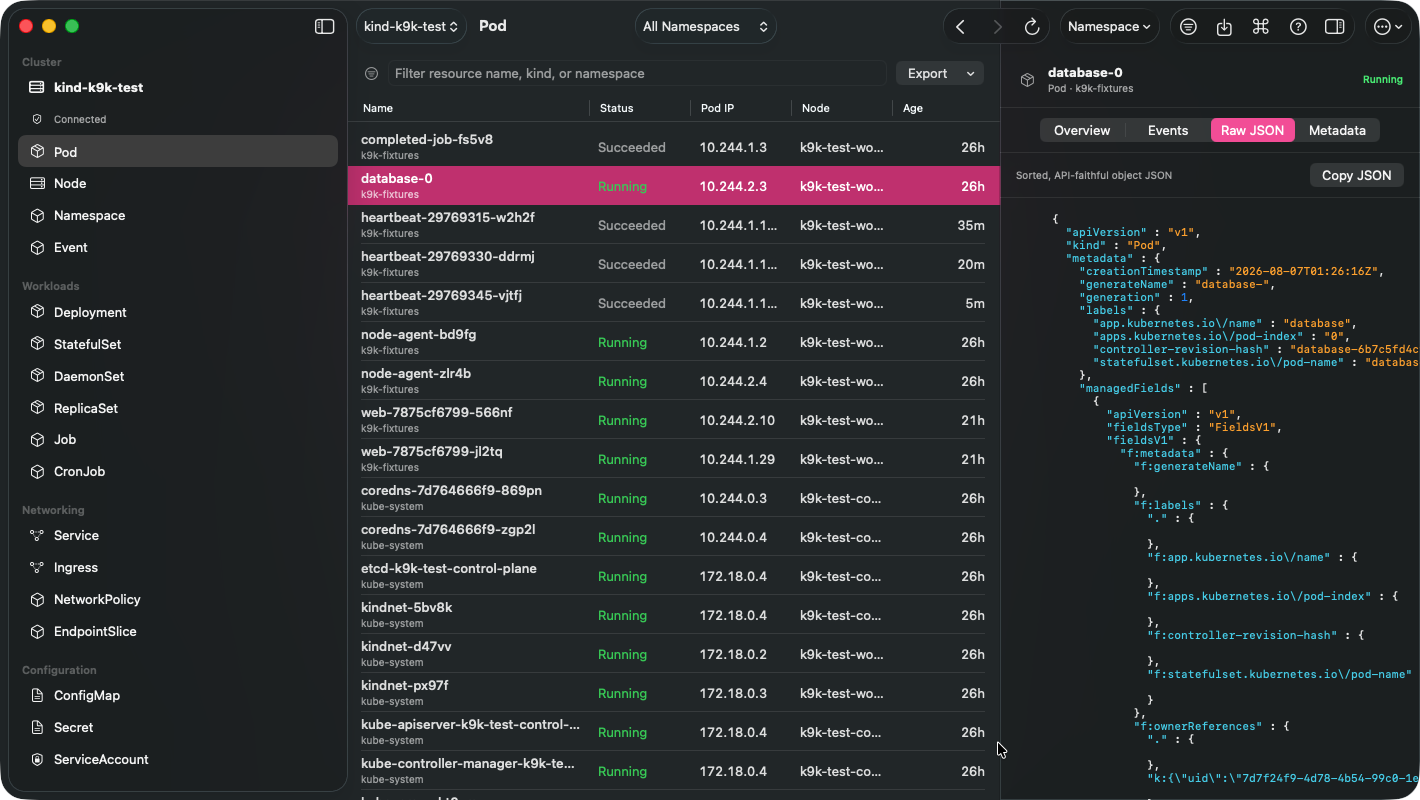
Raw JSON, metadata, owners, events, RBAC, rollout state and metrics for the selected object.
Pod terminal and logs
Stream logs, open an ANSI/VT terminal over pods/exec, attach, or add a confirmed ephemeral debug container.
Port-forwards and transfers
Loopback-only Pod and Service port-forwards, plus file and directory transfer through bounded, traversal-safe tar streams.
Safe changes
Scale, restart, roll back, trigger CronJobs, cordon and drain Nodes, apply UID-protected manifests. Mutating actions are access-reviewed and confirmed.
K9s compatible
See K9s aliases, custom views, hotkeys and plugins, and edit K9s-compatible configuration safely.
Install
There is no packaged release: no signed or notarized build, no Homebrew cask, and no GitHub release. K9k is built from source. You need macOS Tahoe 26+, Xcode 26+ and mise.
git clone https://github.com/alliecatowo/k9k
cd k9k
mise trust
mise install
mise run bootstrap
mise run build
mise run run
The Debug app is built at DerivedData/Build/Products/Debug/K9k.app. To try it without touching a real cluster, run mise run cluster:create and mise run cluster:seed first. More in Getting started.